Devlog
Beat the Scrambler: From a College jQuery Project to a Modern Browser Game
How a jQuery sliding puzzle built in college became the first Soft Arcade browser game—and the technical seed for the entire platform.
Beat the Scrambler is the first game on Soft Arcade. It is also the project that created the platform.
That was not the plan. At first, I just wanted to take a jQuery sliding puzzle I built in college, clean it up, and make it feel like a finished browser game. But each new feature revealed problems that went beyond tile puzzles, like saving scores, creating an arcade identity, supporting mobile play, and building reusable game interfaces. Solving those issues the right way led to Soft Arcade.
The first version was a sliding tile puzzle built during my time at Portland Community College. It had numbered tiles, one empty space, a scramble button, and a win condition: put the board back in order. There was no character, no timer, no move counter, no leaderboard, no score submission, no mobile support, and no modern frontend framework. It was just HTML, CSS, JavaScript, and jQuery doing direct DOM work.
Years later, I returned to that project. I was not interested in making it bigger just for nostalgia's sake. I wanted to find out if a small browser puzzle could become a full arcade-style game without losing the straightforward feel that made the original fun to build.
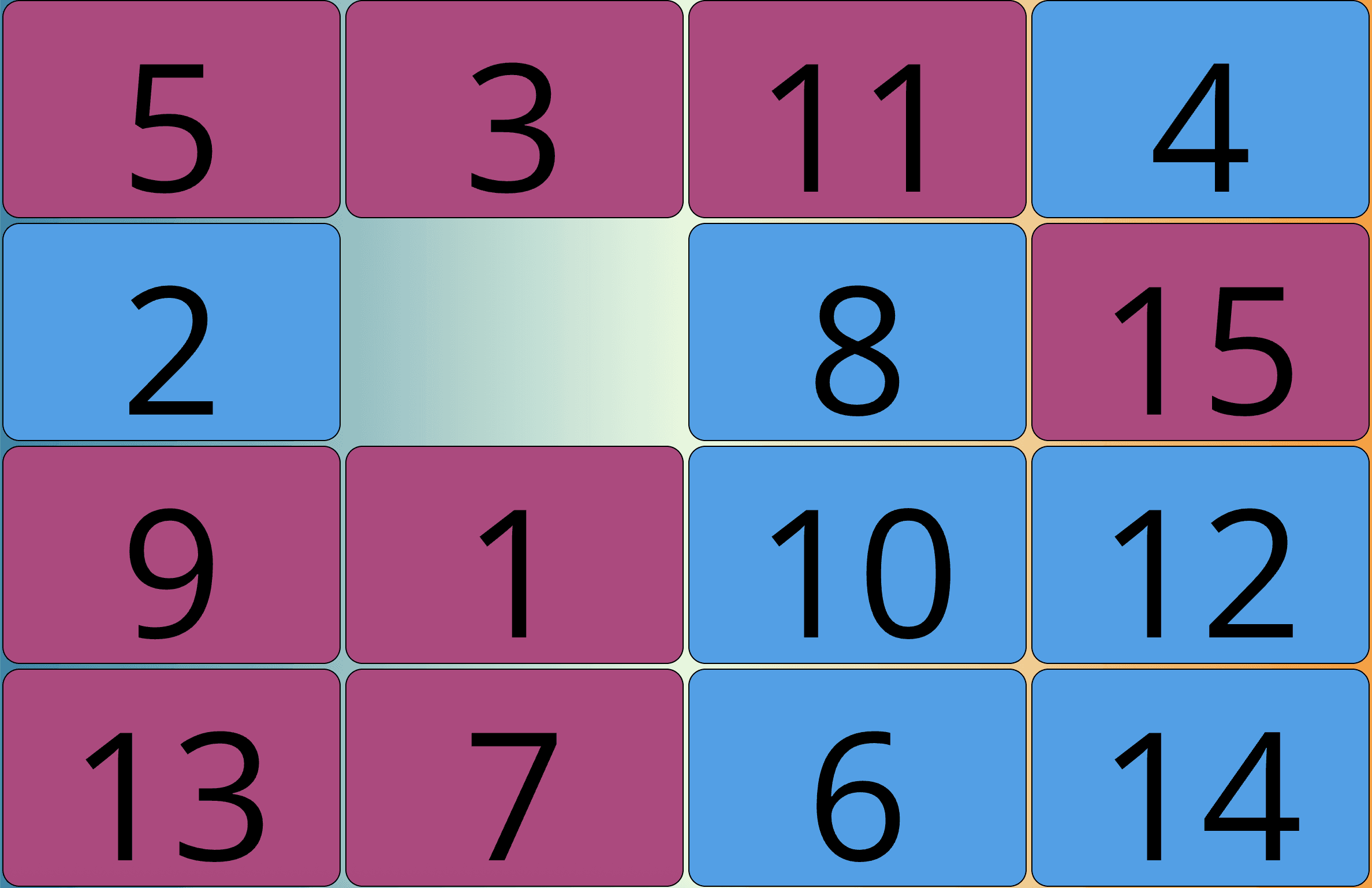
Old side projects can be great starting points for this kind of work. They already have something real, like a mechanic, a constraint, or a small proof that an interaction feels good. Soft Arcade is based on that idea: lightweight browser games that load quickly, are easy to understand, and can be played without accounts or installs.
The Original College Project
The college version of Beat the Scrambler was a standard sliding puzzle. The board started in order. One tile space was empty. The script scrambled the board, then the player used tile movement to restore the correct sequence.
At the time, jQuery was a normal choice for this kind of thing. If you wanted to select elements, attach handlers, move DOM nodes, animate positions, or update text, jQuery gave you a compact API that worked consistently across browsers. A puzzle board was also a good match: the game state was visible in the DOM, and every move had a direct visual consequence.
The earliest implementation was not trying to be a platform. It was not componentized or designed around routing, analytics, or a design system. It existed because the puzzle was easy to understand and fun to get working:
- create a grid
- leave the last cell empty
- assign numbers to the other cells
- move a tile into the gap
- check whether the numbers are back in order
That simplicity became important later. The project was basic, but it was not something to throw away.
A Puzzle Must Be Solvable
The most important technical detail in a sliding puzzle is also one that is easy to miss: not every shuffled board can be solved.
In a 15-puzzle, the board has parity. If you take the solved board and randomly permute all the tiles, roughly half of the possible arrangements are unreachable through legal moves. The player can do everything right and still never solve the puzzle because the state was impossible from the start.
That is why simply shuffling the array is risky here. It can make a puzzle that looks fine but cannot actually be solved.
Beat the Scrambler avoids that by scrambling the board only with legal moves. It starts from the solved state and performs a random walk by moving the empty space around the board. Since every scramble step is a valid move, the final board must be reachable from the solved board. The puzzle is solvable by construction.
The core loop is intentionally small:
function scramble() {
  do {
    for (let i = 0; i < scrambleMoves; i++) {
      moveDirection(utils.randomDirection());
    }
  } while (isSolved());
}
The do...while guard handles the rare case where the random walk comes back to the solved state. If it does, the game simply scrambles again.
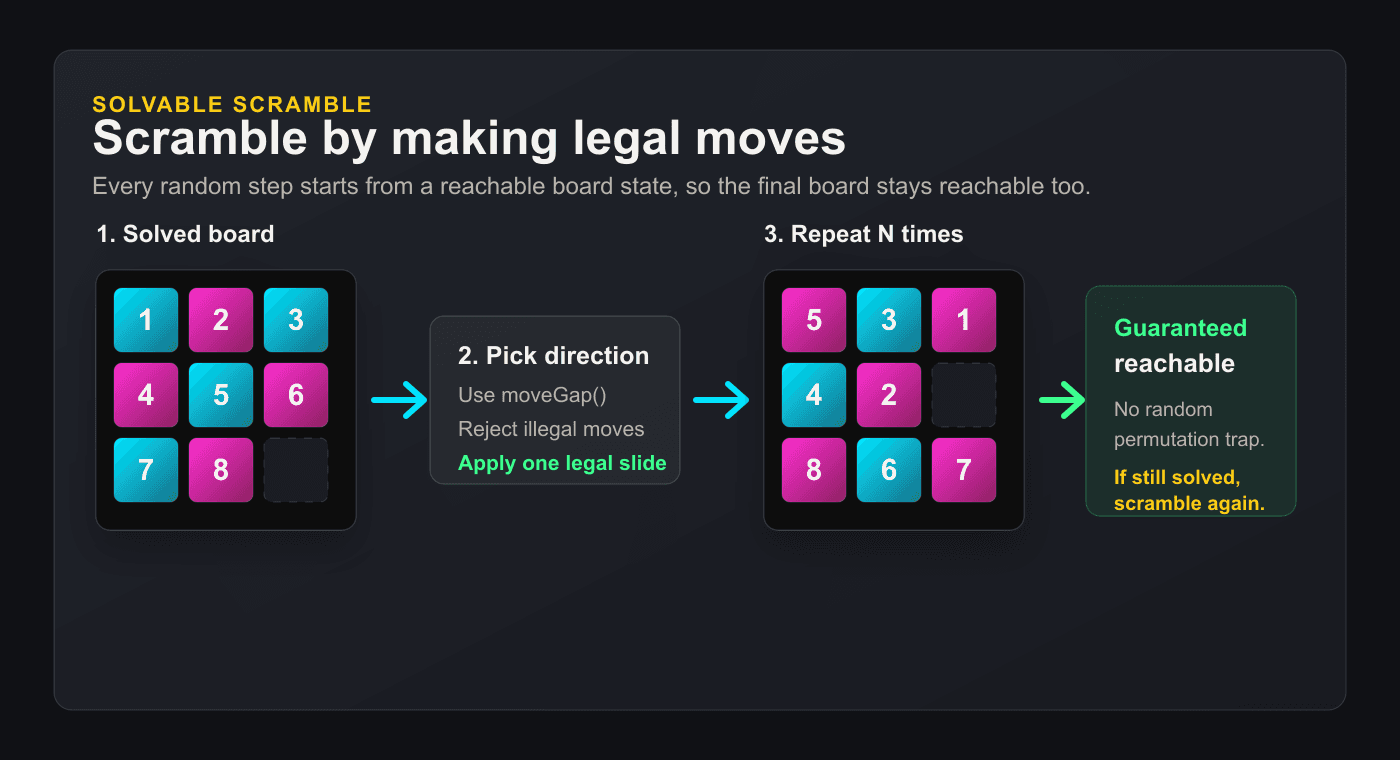
The number of scramble moves scales with difficulty:
- Easy:
3x3, 12 scramble moves - Medium:
4x4, 100 scramble moves - Hard:
5x5, 180 scramble moves
Those values live in the runtime configuration:
let LEVELS = {
  easy: { size: 3, scrambleMoves: 12, label: "Easy 3x3" },
  medium: { size: 4, scrambleMoves: 100, label: "Medium 4x4" },
  hard: { size: 5, scrambleMoves: 180, label: "Hard 5x5" }
};
The atomic move logic lives in a shared utility module. Instead of having keyboard controls, touch controls, and scramble logic each understand board geometry separately, they all ask the same function what a move means:
function moveGap(boardSize, gapX, gapY, direction) {
  // Returns { tileX, tileY, nextGapX, nextGapY, axis } or null
}
That return value says which tile moves, where the gap goes next, and whether the animation should run along the x-axis or y-axis. The jQuery runtime can then update the board state and call .animate() to update the presentation.
This is the kind of code I like in a small game. The rule is not buried in a UI handler. It is a reusable building block. The scramble loop, arrow keys, and touch swipes all use the same idea of a legal move.
What a Browser Game Actually Needs
When I returned to the game, I was not asking, "How do I make this look modern?" Instead, I wondered, "What does a player expect from a browser game today?"
The old version worked as a puzzle, but it did not behave like a complete game. It needed the things that make a round measurable and replayable: difficulty levels, a move counter, a timer, local bests, score submission, leaderboards, mobile controls, win states, personality, and enough analytics to understand whether people were actually playing.
None of those features changes the underlying puzzle. They change the shape around it. A leaderboard meant there needed to be score persistence, validation, and a way to display rankings consistently. Score submission meant the player needed some kind of arcade identity, even without an account system. Analytics meant the game needed a vocabulary for events like starts, solves, restarts, and failed submissions. Mobile support meant the page shell had to respect the difference between reading a site and actively playing a game. Even the UI elements around menus, score panels, game cards, and win states started to look like something that should not be rebuilt from scratch for every future experiment.
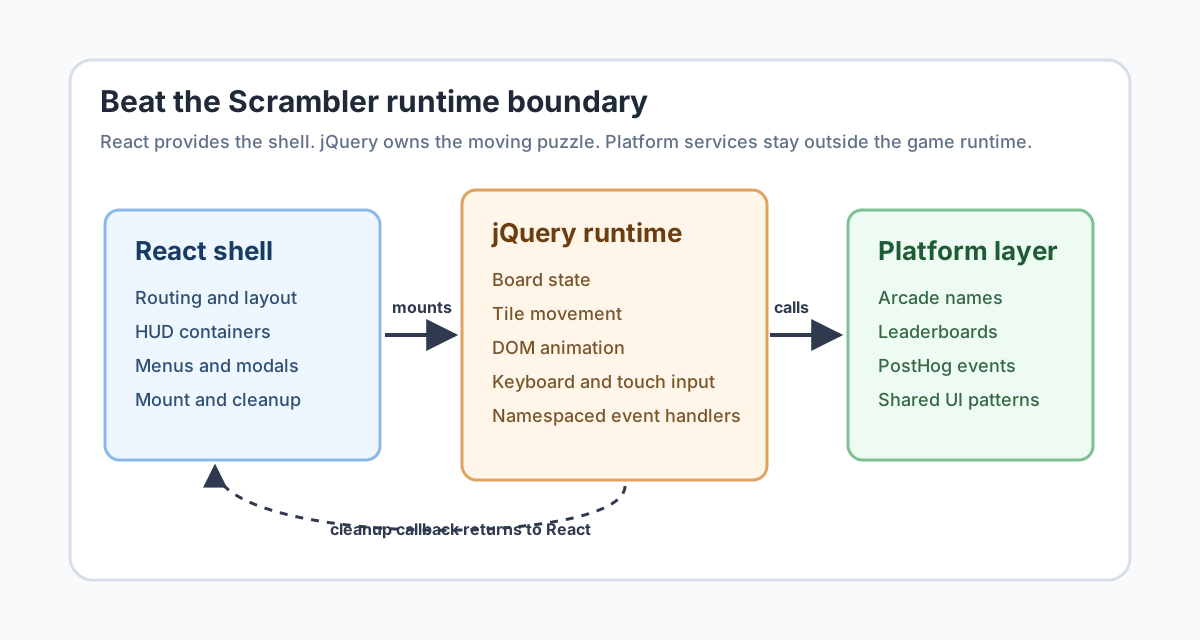
The current game runs inside a Next.js App Router site. React owns the page shell, routing, layout, and static game surface. The jQuery runtime owns the live puzzle interaction after mount. The leaderboard API and shared arcade name utilities are external to the game, allowing them to be reused across Soft Arcade.
That realization changed the shape of the work. I was no longer only improving an old puzzle. I was building infrastructure that another small browser game could also use: shared arcade identity, score submission, leaderboards, PostHog instrumentation, mobile play patterns, reusable game UI, and a hosting model that made each game feel like part of the same place.
Beat the Scrambler became the first game because it raised these questions early on. It was big enough to need real systems, but still small enough for me to understand every part. In the end, it became the prototype for Soft Arcade. The platform grew out of making one old game feel finished.
That is not as dramatic as having a big plan, but it is more honest. I started by updating a college project and slowly realized the real value was in the reusable layer I was building around the puzzle.
Why the jQuery Core Survived
It would have been easy to decide to throw out the old jQuery code. That is often the default approach with older frontend code: if it does not fit the current stack, just rewrite it.
I did not do that here.
The puzzle logic already worked. The board interactions were solid. jQuery 3.x animation was a good fit for sliding numbered tiles into an empty space. Rewriting everything in React would have taken time, created new bugs, and added little value for players.
So the modern version uses an island-style boundary. React owns the static scaffold; jQuery owns the live interaction. In practice, this means the React component renders the HUD, board container, menus, and modals as ordinary HTML, and then a useEffect dynamically imports jQuery, loads the game scripts in dependency order, and hands control to the jQuery runtime:
useEffect(() => {
  async function mountGame() {
    const jqueryModule = await import("./jquery-3.4.1.js");
    installJQueryGlobal(jqueryModule);
    await import("./game-config.js");
    await import("./game-utils.js");
    const { mountBeatTheScrambler } = await import("./mountBeatTheScrambler.js");
    cleanupGame = mountBeatTheScrambler(posthog);
  }
  void mountGame();
  return () => cleanupGame?.();
}, []);
The important part is the cleanup boundary. mountBeatTheScrambler(posthog) returns a cleanup callback. The jQuery code also namespaces its event bindings with .beatTheScrambler, which makes unmounting predictable when React tears down the component.
This split is pragmatic:
- React handles routing, layout, bundling, and the page shell.
- jQuery handles the puzzle runtime and direct DOM animation.
- Shared TypeScript modules handle platform-level concerns such as arcade names and leaderboard configuration.
There is nothing inherently virtuous about rewriting code into a newer framework. The valuable part is making the boundary clear enough for the old code to live safely within the new application.
Creating the Scrambler Mascot
Once the technical boundary was clear, the next gap was not architectural. It was personality.
The original puzzle had no character. It was just numbers.
That was fine for a college project, but Soft Arcade needed the game to have some personality. Since the mechanic is about restoring order after chaos, it made sense for the main troublemaker to be the Scrambler.
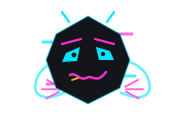
The Scrambler is implemented entirely as inline SVG returned by the main game module. There are no image assets involved:
function getScramblerMarkup() {
  // Returns an inline SVG string; no image assets involved.
  return '<div class="scrambler-character-inner"><svg ...>...</svg></div>';
}
The full SVG adds arms, horns, asymmetric eyes, glitch bars, and a bent cubic-Bezier mouth. CSS animation gives the mascot movement without introducing a separate rendering system.
The Scrambler appears in three important places:
- The start menu, where it taunts the player before a round
- the full-screen scramble overlay, where it "mixes up" the board
- win and confirm states, where it reacts to the player solving or abandoning a run
Short text lines help give the character personality without cluttering the interface. The game picks from arrays like:
let SCRAMBLER_LINES = {
  menu: [
    "Fix it. If you can.",
    "Order is overrated.",
    "Try not to embarrass yourself."
  ],
  win: [
    "The Scrambler wants a rematch.",
    "You fixed it. Barely.",
    "Order restored. For now."
  ]
};
This changed the feel of the game more than I expected. The puzzle did not need a story. It needed a face.
The Features That Made It a Real Game
The replay loop came from adding measurement.
The move counter increments after successful player moves. The timer starts on the first move, not when the board appears, which avoids punishing players while they are still reading the board after the scramble animation. When the puzzle is solved, the game stores a pending score submission with the level, moves, and elapsed time.
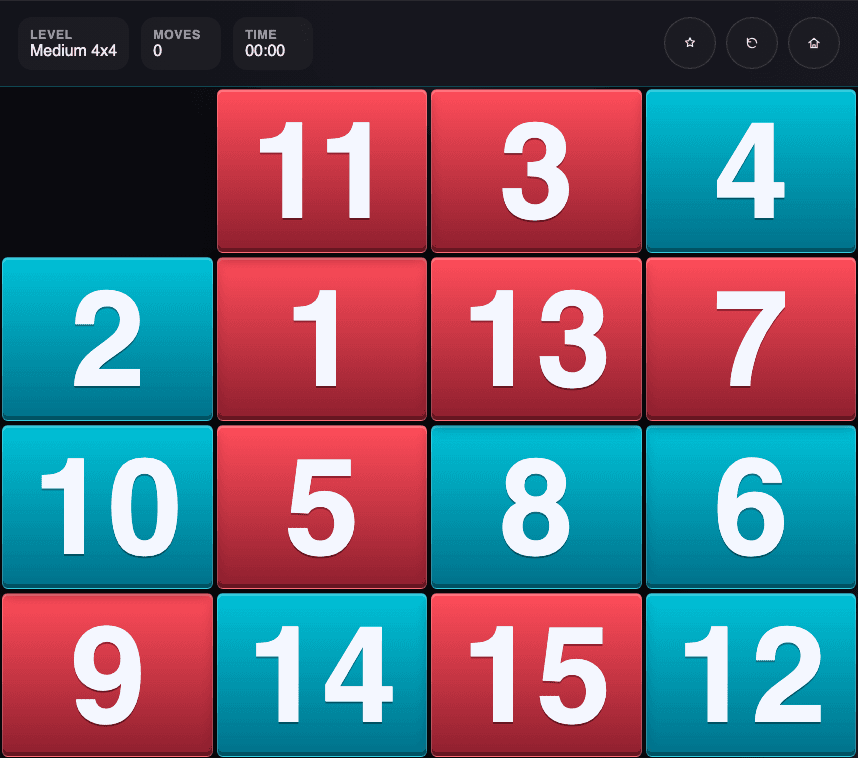
Local bests are stored in localStorage under tileGamePersonalBests. Time and moves are tracked as separate best values, because a faster solve and a lower-move solve are not always the same run:
const betterTime = !previousBest || timerSeconds < previousBest.time;
const betterMoves = !previousBest || moveCount < previousBest.moves;
const isNewBest = betterTime || betterMoves;
Server leaderboards use the shared score API. The Beat the Scrambler columns are intentionally simple: name, moves, and time. A shared utility normalizes arcade names to a 12-character uppercase format so the same player identity can work across games without requiring an account.
Supporting mobile took more than just making the board responsive. Touch swipes had to move tiles without the page sliding under the player's finger. On small screens, the game switches to a mobile mode that locks the page, remembers the scroll position, and restores it when the run ends or pauses. It is not fancy code, but it is what makes the difference between "technically works on mobile" and "actually feels like a game on mobile."
It is still a sliding puzzle at its core, but the features around it change how you play. Easy mode is approachable. Medium is the main competitive board. Hard is for a longer, tougher solve. The timer, move counter, best badge, and leaderboard make every run feel meaningful.
Instrumenting the Game
Even a small game benefits from analytics. Without instrumentation, it is hard to tell the difference between "people saw the game" and "people actually played a round."
Beat the Scrambler receives the initialized PostHog instance from React:
cleanupGame = mountBeatTheScrambler(posthog);The jQuery runtime does not import PostHog. It just accepts it as a dependency and captures events at meaningful points:
game_startedwhen a player chooses a difficultygame_restartedwhen a run restartspuzzle_solvedwhen the board returns to the solved statescore_auto_save_startedwhen a score submission beginsscore_auto_save_successandscore_auto_save_failedfor the API resultscore_submittedandscore_submit_failedfor compatibility with the broader event vocabularyarcade_name_setwhen the player saves a name without a pending score
The solve event carries the properties that matter:
posthog.capture("puzzle_solved", {
  game: "beat-the-scrambler",
  difficulty: currentLevelName,
  board_size: boardSize,
  moves: moveCount,
  elapsed_seconds: timerSeconds,
  is_new_best: isNewBest
});
That gives Soft Arcade enough data to answer practical questions. Which difficulty do players start with? Do they finish? Do they submit scores? Are failures coming from the leaderboard API?
For a game this small, analytics should not turn into surveillance or become a distraction. The goal is just to have basic visibility into how the product is used.
Lessons Learned
The biggest lesson from Beat the Scrambler is that old code is not always technical debt. Sometimes it is just a working prototype that needs better boundaries.
The original jQuery project had its limits, but the main mechanic worked well. The board could be created, tiles could move, the solved state could be checked, and the scramble could be fair. Those parts were worth keeping.
What surprised me most was how much of the modernization work happened around the edges. The puzzle did not need a new identity as much as it needed a clearer container: explicit lifecycle cleanup, pure utilities where the rules needed to be shared, mobile behavior where browser defaults fought the interaction, and score systems where replay value depended on comparison.
The other surprise was how quickly game design and technical design blended together. A timer is a technical feature, but it changes how players act. A difficulty setting is just configuration, but it shapes who plays each round. A mascot is just SVG code, but it changes how the game feels. A leaderboard API is backend work, but it gives players a reason to care about improving their scores.
That is what made the project worth coming back to. The real challenge was turning a working mechanic into a full browser game while keeping the parts that already worked.
Beat the Scrambler is now part of Soft Arcade, both as a game and as a small example of gradual modernization. It still has the heart of the college project: numbered tiles, one empty space, a scrambled board, and the simple satisfaction of putting everything back in order.
The platform exists because rebuilding this puzzle showed what a small arcade site really needs: identity without accounts, scores that stick around, reusable game layouts, mobile-friendly play, and enough tracking to learn from real games. Soft Arcade grew from those lessons, not from a separate plan. The design principles that came out of it—no-login play, performance as user experience, and real-time analytics from the start—now guide every game on the site.
That sums up the Soft Arcade mission: build browser-native games that are lightweight, easy to read, and quick to play. Learn by building. Keep the experience small enough to load instantly, but complete enough to feel intentional.
Try Beat the Scrambler and see the puzzle in action. If you want to learn how Soft Arcade's second game handles more complex features—real-time traffic, SAT collision detection, and an evolving difficulty system—the Near Miss traffic evolution article covers those systems in the same level of detail.